
How to Search Riverside County Court Records
The main tool is the Riverside Superior Court Public Portal at https://epublic-access.riverside.courts.ca.gov/. It shows the index, register of actions, calendars, documents, and probate notes for cases filed in the county. Civil files reach back to October 1991 for Riverside, with later start dates at the smaller courthouses. Family law goes back to April 1992. Probate goes back to July 1994. Criminal and traffic coverage starts in 1990 for Riverside felonies and 1994 for misdemeanors. Sealed and confidential cases are not shown online.
Before you start, pull together the case number or the full name of one party. A date of birth helps narrow common names. An account is required, and the portal blocks popup blockers and needs cookies on. Plan ahead, since the portal caps use at 30 lookups every 5 minutes per account.
The court explains what the portal covers on the public-access information page. 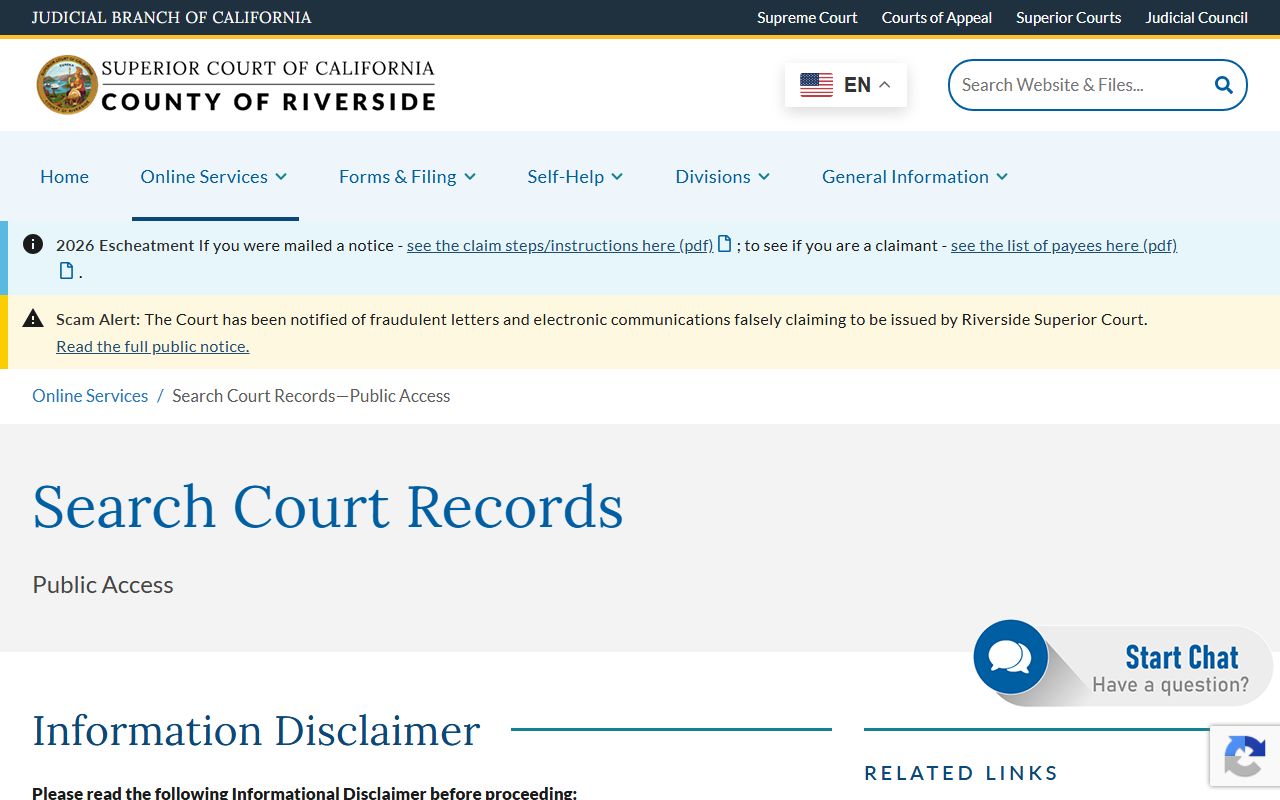 The page lists date ranges by case type and courthouse and warns that purged files may not appear in search results.
- Open the Public Portal and sign in. New users must create a free account first.
- Pick a case type. The portal groups criminal and traffic under one option and keeps civil, family law, and probate as their own choices.
- Run a case-number search if the number is known. This path is free and opens the register of actions on a match.
- Run a name search if the number is not known. Name searches use credits and return matching case numbers and filing dates.
- Open the case, read the register of actions, check the calendar, and buy any documents you need.
Riverside County Court Records Search Fields
The Public Portal uses a small set of fields. Some are free to search. Others charge credits per lookup. The next table maps the main fields from the court's own description of the portal, so a user can plan a search before signing in.
| Field Label | Type | Required | Notes / Format |
|---|---|---|---|
| Account login | Form | Yes | Free account; cookies must be on and popup blockers off. |
| Case Type | Dropdown | Yes | Civil; Family Law; Probate; Criminal/Traffic. |
| Case Number Search | Search mode | Conditional | Free; opens the register of actions on a match. |
| Name Search (Index) | Search mode | Conditional | Charges credits; returns case numbers and filing dates. |
| Register of Actions | Function | Yes, case number | List of filings, file dates, and party who filed. |
| Calendar | Function | No | Current and future hearings up to 7 days; shows time, type, and department. |
| Documents | Download | Yes, case number | Allowed by Rules of Court; fees apply; 30-day access. |
| Probate Notes | Function | Yes, case number | Updated three business days before each hearing. |
| Rate limit | System rule | n/a | 30 searches per 5-minute window per account. |
The paid clerk search at https://rrs.riverside.courts.ca.gov/ uses a different form. It asks for case type (Civil, Family Law, Probate, Criminal, Traffic), party names, an optional case number, and a date range. Each search costs $15. Clerk staff can also search by date of birth or driver's license number, but only when the requester is the defendant and shows valid ID. The Request Records Search form is shown here. 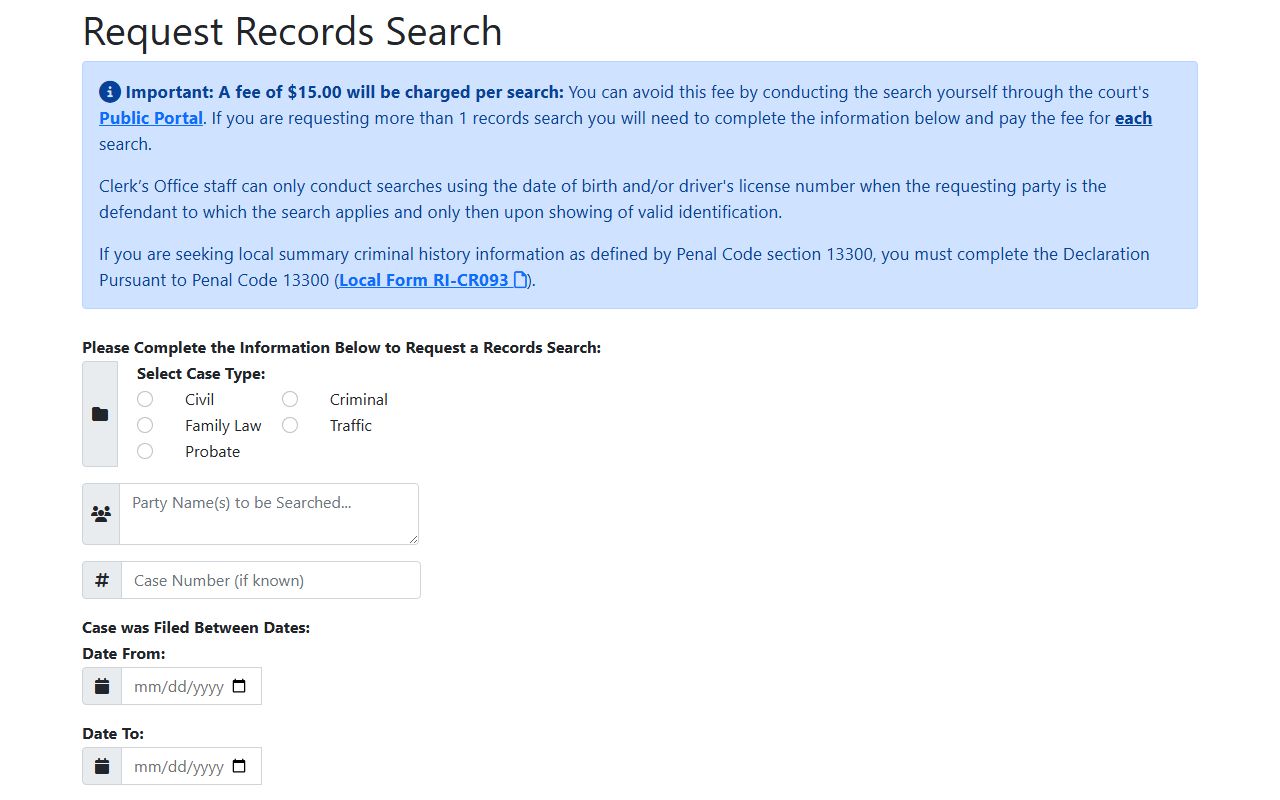 Pick this path when a case is too old for the Public Portal or when the file has been purged.
Types of Riverside County Court Records
The Superior Court is the county's only trial court of general jurisdiction. California folded the old municipal courts into the superior courts in 1998. Riverside Superior Court holds civil, small claims, eviction, criminal, traffic, family law, probate, juvenile, mental health, and CARE Act files. Each case type uses its own forms and follows its own access rules. The overview page at https://www.riverside.courts.ca.gov/divisions lists the divisions and their work.
Most of the file types below sit in the Public Portal. Juvenile files do not. Sealed files do not. Some family, mental health, and restraining-order files are limited to courthouse access under California Rules of Court rule 2.503.
- Civil records. Complaints, answers, motions, case-management statements, orders, judgments, abstracts, and enforcement papers.
- Small claims and eviction. Plaintiff's claim, proof of service, judgment, writ of possession, and sheriff lockout papers. New eviction cases are confidential for the first 60 days.
- Criminal records. Felony, misdemeanor, and infraction files with charges, plea forms, sentencing minutes, and warrants.
- Traffic records. Citation, notice to appear, trial-by-declaration papers, payment plans, and failure-to-appear notices.
- Family law records. Petition, response, financial disclosures, support orders, custody orders, and judgments.
- Probate records. Estate, trust, guardianship, conservatorship, and minor compromise files, plus probate notes.
What Riverside County Court Records Show
A case file is layered. The Public Portal shows the index, the register of actions, the calendar, and (where allowed) the documents. The full official file at the courthouse can hold more. The table below is a sample case-record inventory built from the court's own field list and rule 2.503's redaction rules. It is the set of fields a user should expect to see on most case types.
| Field | What It Shows |
|---|---|
| Case Number | Court-assigned number. Riverside criminal files use prefixes such as RIF, BA, FERI, SW, IN, BL, with a defendant suffix in multi-defendant cases. |
| Case Caption | Party names. People v. defendant in criminal; plaintiff v. defendant in civil; minor or conservatee shown by initials when restricted. |
| Filing Date | Date the complaint or petition opened the case. |
| Case Type | Civil, small claims, eviction, criminal, traffic, family, probate, juvenile, CARE Act. |
| Parties | Plaintiff, defendant, petitioner, respondent, and any third parties. |
| Attorneys | Names and bar numbers when on file. |
| Court Location | Courthouse and department holding the file. |
| Register of Actions | Date-stamped list of every document filed and the party who filed it. |
| Hearing Calendar | Date, time, type, and department for hearings within the next 7 days. |
| Charges or Causes | Vehicle Code or Penal Code sections in criminal files; causes of action in civil files. |
| Plea or Answer | Defendant's plea in criminal cases; answer or default in civil cases. |
| Disposition | Pending, active, disposed, dismissed, judgment entered, sentenced, sealed, transferred, or purged. |
| Financials | Fines, fees, restitution, civil judgments, payment plans, and bond status. |
| Redactions | Driver's license number, date of birth, SSN, addresses, medical data, and account numbers under rule 2.503. |
Public Access Framework for Riverside County Court Records
California splits public-records access into two tracks. County department files (sheriff administration, ACR office files, DA non-investigative files) fall under the California Public Records Act. Court case files follow common-law access rules, the Trial Court Records Manual, and the California Rules of Court. The split matters in Riverside because the county departments do not hold court case files, and the court does not hold county department files. A request sent to the wrong office will bounce.
The CPRA is now codified at Government Code §7920.000 and the sections that follow. 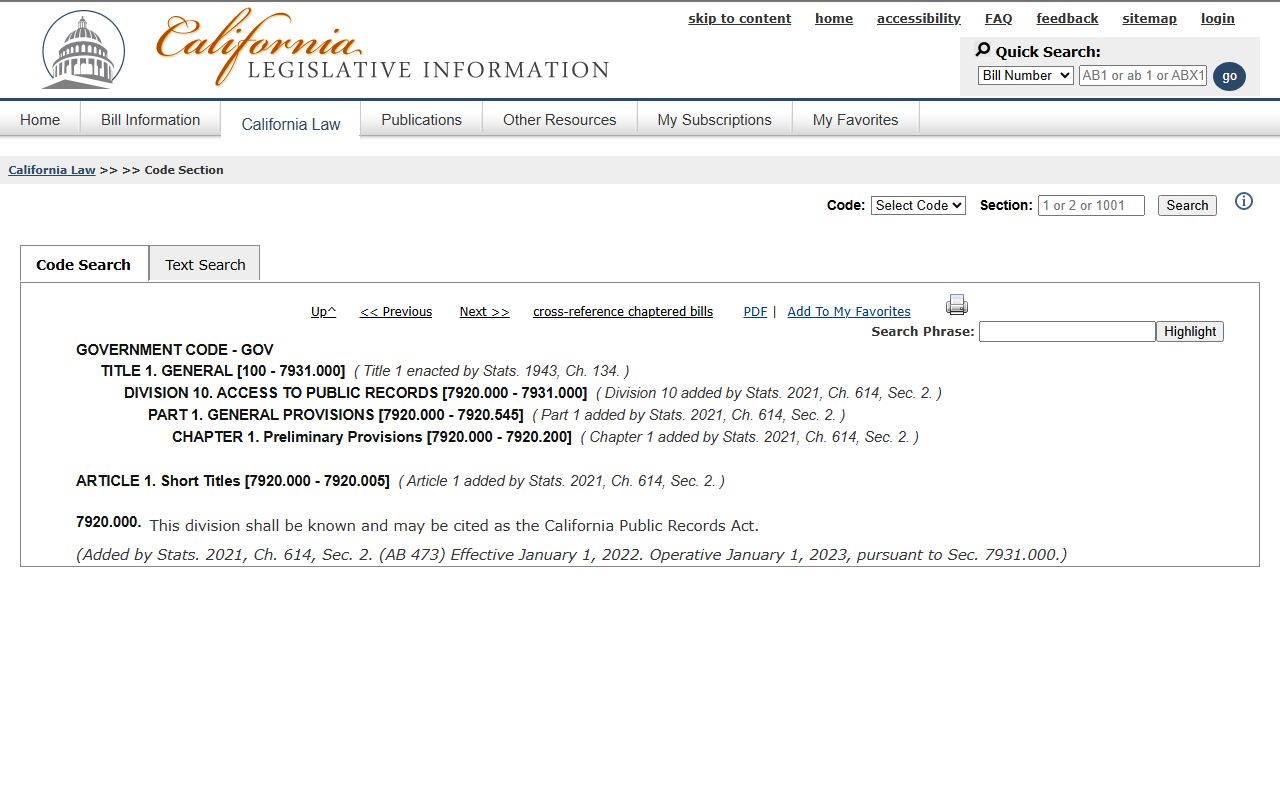 AB 473 recodified the older CPRA sections and took effect January 1, 2023. For court case files, California Rules of Court rule 2.503 governs electronic access. Rule 2.550 controls sealed files. Rule 10.500 covers judicial administrative files. The rule 2.503 text sits at courts.ca.gov and is worth a read before filing a complaint about a remote-access denial.
Anyone can search the Public Portal. Anyone can ask for a paid clerk search. The only ID rule is on local summary criminal history requests under Penal Code §13300, which require the requester to be the defendant and to submit local form RI-CR093. CPRA denials can be challenged through agency follow-up and, if needed, court action. Court-record access disputes usually run through the clerk first, then a motion to unseal or an appellate writ.
Note: The Public Portal warns that the data is not the official court record. For an official certified file, visit the courthouse or mail a request to the clerk.
Sealed and Confidential Riverside County Court Records
Not every case is open. Juvenile delinquency and dependency files are confidential under Welfare and Institutions Code §827. Sealed files under rule 2.550 do not show in the Public Portal at all. Adoption files are highly restricted. The CARE Act notice says CARE proceedings are confidential and not open to the public. New eviction files are confidential for the first 60 days under Code of Civil Procedure §1161.2. Family, criminal, juvenile, guardianship, conservatorship, mental health, and several restraining-order case types are limited to courthouse-only electronic access under rule 2.503.
To view a sealed file, an interested party usually files a motion to unseal under rule 2.551 and shows good cause. To clear an arrest that did not end in a conviction, a person can file a petition under Penal Code §851.91. The Public Defender's Fresh Start program walks Riverside residents through these petitions and dismissals under Penal Code §1203.4. For arrests already cleared by the Department of Justice, Penal Code §851.93 may apply automatically. Cannabis convictions before Prop. 64 may qualify for record destruction under Health and Safety Code §11361.5.
In-Person Court Record Requests
The Riverside Historic Courthouse handles civil and probate files. The Hall of Justice handles criminal files. Public viewing computers sit at both buildings. Counter hours run Monday through Friday, 7:30 a.m. to 4:00 p.m. Phone hours end at 2:00 p.m. To get a certified copy, complete local form RI-MC002 and submit it at the counter, by mail, or through the drop box with a check or money order and a self-addressed stamped envelope. The court posts the official locations page at https://www.riverside.courts.ca.gov/general-information/locations-contact-info with the full list. 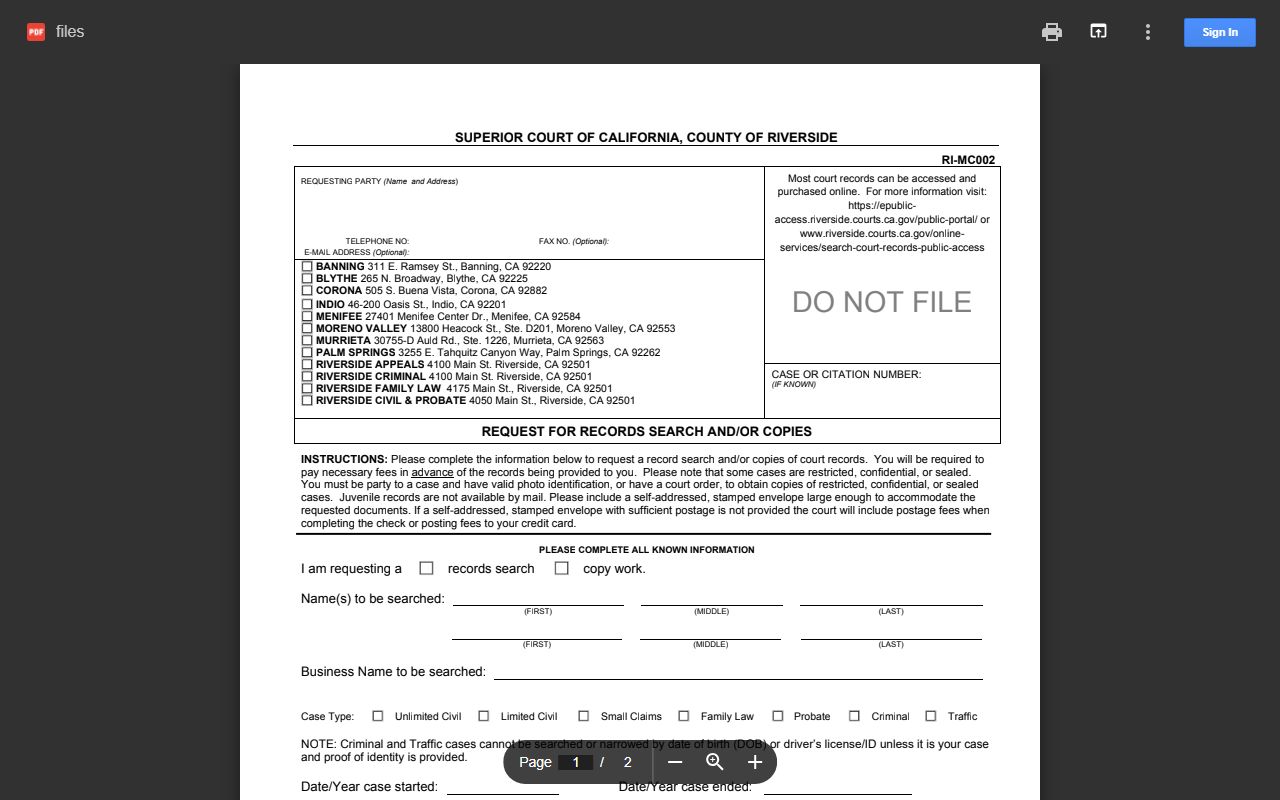 RI-MC002 is the form clerks expect for record copies and search requests.
Clerk of the Superior Court
Riverside Historic Courthouse
4050 Main Street
Riverside, CA 92501
951-777-3147
Mon-Fri, 7:30 a.m.-4:00 p.m.
Riverside County Court Records Fees and Copies
Public Portal case-number searches are free. Name searches cost credits. One credit is $1.00. Five credits cost $3.50. Ten credits cost $5.00. Seventy-five credits cost $25.00. A 30-day unlimited name search runs $250.00. After a name match, the portal shows up to 10 cases for that name before another credit is used. Document downloads run $1.00 a page for the first 5 pages and $0.50 a page after that. The per-document cap is $50. Files stay available for 30 days from purchase. The paid clerk records search at rrs.riverside.courts.ca.gov is $15 per search. Court counter fees for plain and certified copies follow Government Code §70626 and the local schedule at riverside.courts.ca.gov/forms-filing/fee-schedule.